Reps in reserve: how to set rep and effort targets
A target tells you what a set should look like before you start it: how many reps, and how hard. Reps in reserve is the simplest way to put a number on the “how hard” part.
What reps in reserve means
Reps in reserve (RIR) is how many more reps you could have done when you stopped the set. RIR 0 means the next rep would have failed. RIR 2 means you had two good reps left.
You might know RPE, a 1–10 effort scale. For lifting they line up neatly: RPE 10 is RIR 0, RPE 9 is RIR 1, RPE 8 is RIR 2. RIR is just easier to answer mid-set: “how many more could I do?”
Combining reps and effort
A rep target on its own doesn’t say how heavy to go. Ten reps can be a warm-up or an all-out set. Add RIR and the set is clear: 10 reps at RIR 2 means a weight you can lift ten times with about two reps left.
- Reps and RIR for most working sets.
- RIR only when the reps can float, like “go to RIR 1”.
- Reps only for easy work where effort doesn’t matter much.
Many lifters keep most sets at 1–3 reps in reserve and save RIR 0 for the last set of an exercise, if at all.
Picking the weight
Choose a weight you think will land on the target. If you hit 10 reps with 4 left, it was too light, so go up next time. If you only got 8, go down or stay put. Over a few sessions the targets keep the weight honest.
Setting targets in Voltra
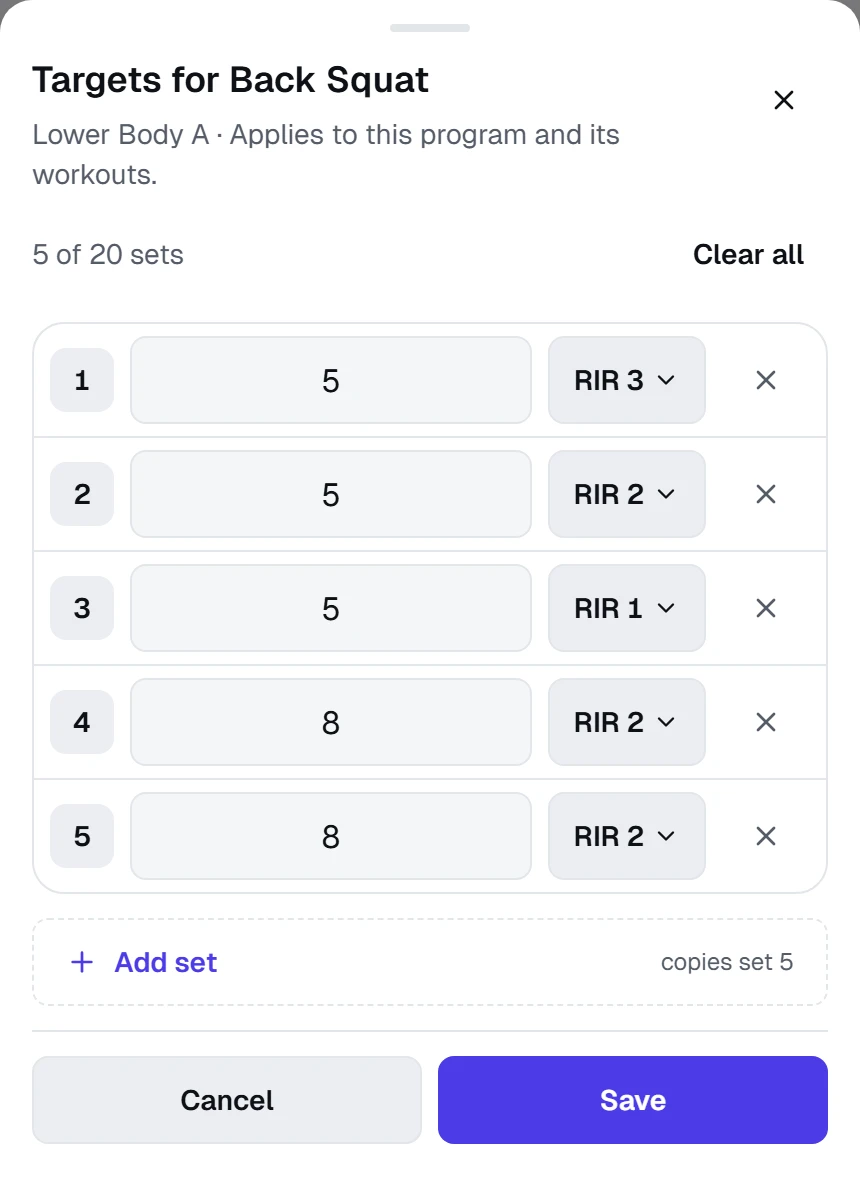
Targets live on each exercise in a program. Tap Add targets under the exercise name and add a row per set.
- Each set gets reps (1–99), RIR (0–4 or 5+), or both.
- Add set copies the set above, so “3 × 10 at RIR 2” takes a couple of taps.
- Timed exercises get a duration instead, like 00:45.
- Up to 20 set targets per exercise, on the free plan too.
There are no weight targets on purpose. You pick the load that hits the reps and effort, as above.
Targets during a workout
Every set shows its target right under it, like Target 1: 8 reps · 2 RIR, next to last time’s numbers. Warm-up sets don’t use up a target, and each logged set keeps the target it was logged against, even if you change the program later.
Targets work the same inside a superset: each exercise keeps its own.